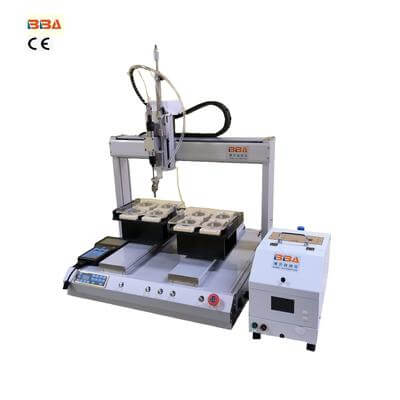
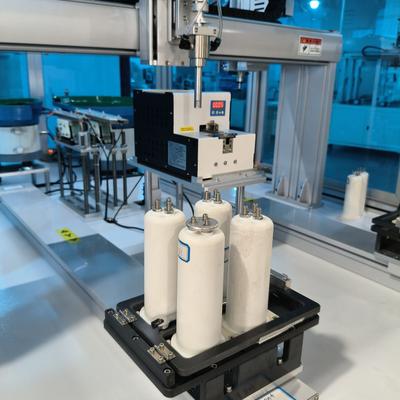
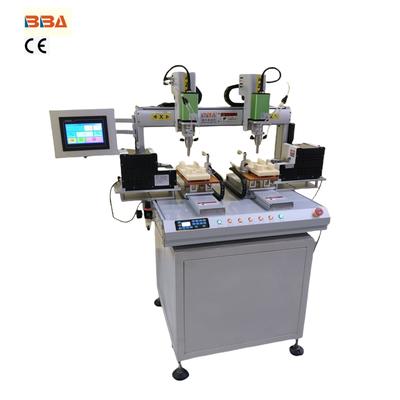
Troubleshooting Robotic Screwdriver Errors: Common Issues & Solutions
| Product Name | Applicable industries |
| Dual Head Screwdriver | PCB and Circuit Board Assembly |
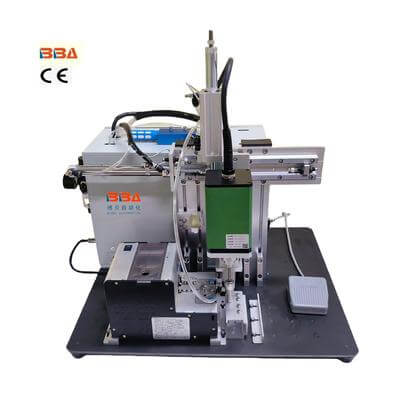
Troubleshooting Common Errors in Robotic Screwdrivers
Robotic screwdrivers are essential components in modern assembly lines, providing precision, speed, and consistency. However, like any sophisticated equipment, they can encounter operational issues that disrupt production. Understanding and resolving these common errors promptly is key to maintaining efficiency and minimizing downtime. This article outlines typical problems and practical solutions to keep your automated screwdriving systems running smoothly.
1. Screw Feeding Issues
One of the most frequent problems involves screws not feeding correctly into the driver bit. This can result from:
- Blocked or Dirty Feed Tracks: Dust, debris, or residual lubricant can obstruct the screw pathway. Regular cleaning with compressed air and appropriate solvents is recommended.
- Incorrect Feeder Setup: Ensure the vibratory bowl or feeder is calibrated to the specific screw size and type. Adjust the amplitude and orientation to prevent jams.
- Worn or Damaged Components: Inspect the feeder bowl, tracks, and hoses for wear. Replace any parts showing significant deterioration.
Note: Always use high-quality screws with consistent dimensions to reduce feeding errors.
2. Torque Inconsistencies
Inaccurate torque application can lead to under-tightened or over-tightened fasteners, compromising product quality. Causes include:
- Calibration Drift: Regular recalibration of the torque sensor is crucial. Follow the manufacturer’s schedule for maintenance.
- Mechanical Wear: Worn driver bits can slip, affecting torque accuracy. Implement a routine bit replacement program.
- Software Glitches: Update the controller software to the latest version to resolve bugs affecting torque control algorithms.
Monitoring torque values in real-time using integrated sensors can help detect deviations early.
3. Misalignment Errors
Misalignment between the screwdriver and the target hole can cause cross-threading or damage to the fastener and product. This often stems from:
- Inaccurate Robot Positioning: Recalibrate the robot’s coordinate system and ensure the end-effector is securely mounted.
- Vision System Failures: If using vision for guidance, clean cameras and lenses, and verify calibration settings.
- Fixture Movement: Secure the workpiece firmly to prevent shifting during the screwdriving process.
4. Electrical and Connectivity Problems
Sudden stoppages or unresponsive systems may indicate electrical issues:
- Loose Cables or Connectors: Inspect all connections for tightness and signs of corrosion.
- Power Supply Fluctuations: Use a stable power source and consider surge protectors to avoid voltage spikes.
- Controller Errors: Restart the controller and check error logs for specific codes. Persistent issues may require hardware diagnostics.
5. Software and Programming Glitches
Errors in programming can lead to unexpected behavior:
- Incorrect Parameters: Double-check screw depth, torque limits, and speed settings in the program.
- Sequence Errors: Verify the program logic to ensure all steps are executed in the correct order.
- Compatibility Issues: Ensure all software components are compatible with each other and the hardware.
Simulating processes offline before deployment can help catch programming mistakes.
Proactive Maintenance Tips
Preventing errors is more efficient than fixing them. Establish a proactive maintenance routine:
- Schedule regular inspections of mechanical, electrical, and software components.
- Keep detailed logs of errors and resolutions to identify patterns and recurring issues.
- Train operators and technicians on basic troubleshooting and daily maintenance tasks.
By addressing these common errors systematically, you can enhance the reliability and performance of your robotic screwdriving systems, ensuring continuous production and high-quality output. Always refer to your equipment’s manual for model-specific guidance and consult technical support when necessary.